Technology · 7 November 2026 · 5 minute read
How does company identification work? The technology in 6 steps
What happens between a page view and a company name: the process in six steps, the classes of classification, caching and data protection.
From the outside, company identification on a website looks like magic: someone opens a page. A moment later a company name appears in a list. Behind it, however, there is no secret knowledge but a chain of a few easily traceable steps. Anyone who knows them can judge results better and compare offers.
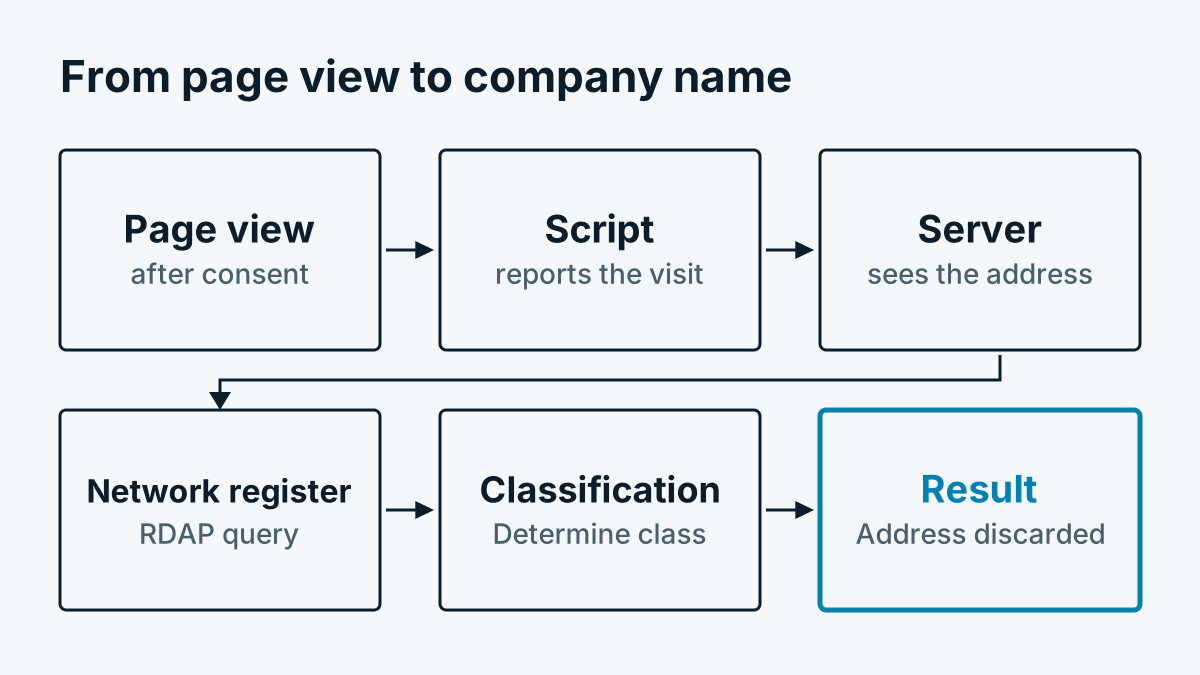
The process in six steps
- Page view after consent. The visitor opens a page. The measuring script is loaded only once he has agreed to analytics. If he declines, nothing happens.
- The script reports the page view. It sends a small message to the service: which page, which website.
- The server sees the IP address. Every connection carries a sender address. The server reads it in order to carry out the next step.
- Query to the network registry. The server asks via RDAP (Registration Data Access Protocol) who owns the network the address belongs to. The answer contains the network name, country and owner. More on this in Reverse IP lookup explained simply.
- Classification. From the details it is determined what kind of network it is: company, internet provider, data centre or unclear.
- Discard the address, store the result. The IP address is not stored. Only what is needed for the analysis is saved. This applies only to companies.
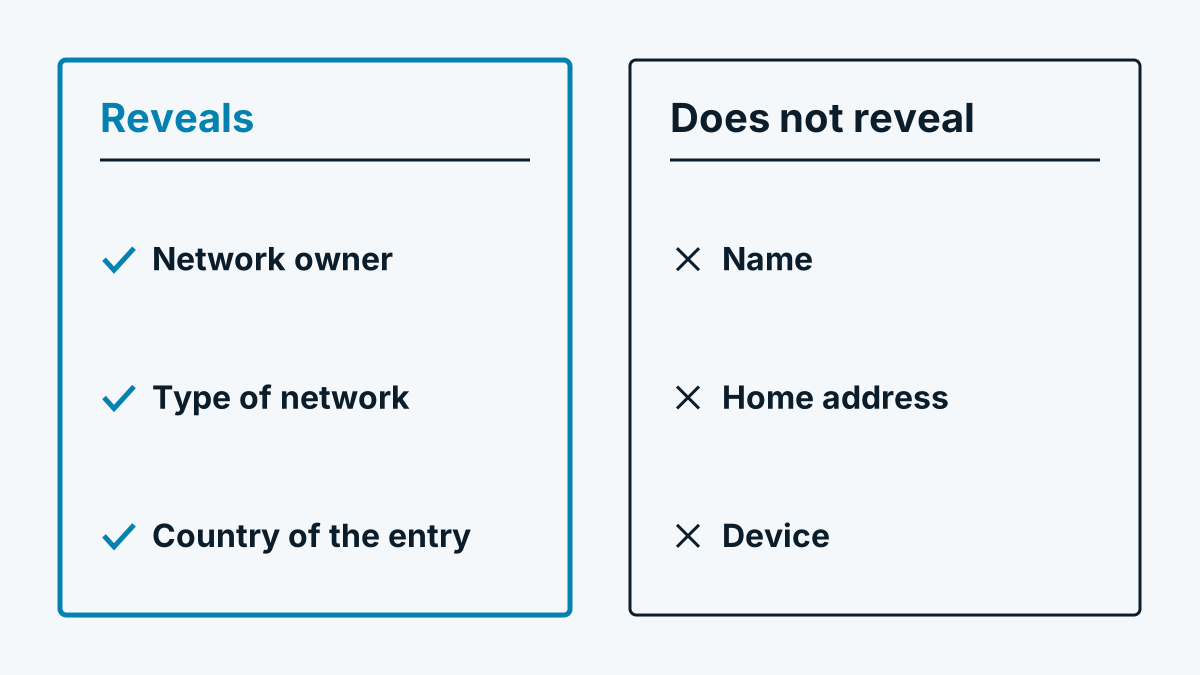
Important for understanding: the service does not identify a device or a person. It identifies a network and classifies its owner.
The classes
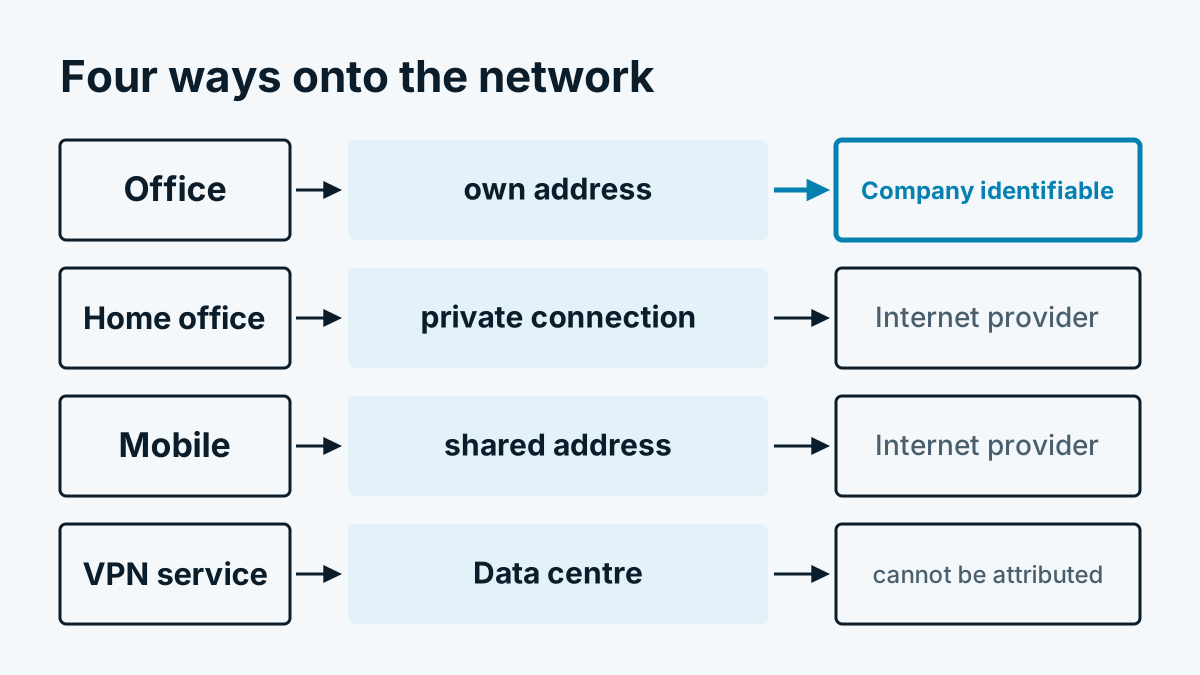
Not every network belongs to a company. That is why a reputable company identification sorts first.
| Class | Meaning | What happens to it |
|---|---|---|
| Company | Legal entity or institution as network owner | Visit is stored with the company name |
| Internet provider | Access network for private use, home office and mobile | Counted only as a daily number |
| Data centre | Hosts, cloud, VPN services, relays, search engines and scanners | Counted only as a daily number |
| Without legal form | No legal form recognisable, could be a private individual | Discarded and not cached |
| Not determinable | Query failed or no entry | Counted only |
The class „without legal form“ is the cautious side of the procedure. When in doubt, nothing is stored.
How the classification works
The classification is a heuristic, that is, a set of rules based on experience. It works in this order. The first matching rule wins:
- If the entry names a known host, a data centre, a VPN service or a relay, it is a data centre. There is a list of known providers and keywords for this.
- If the network belongs to an internet provider, recognisable from a list of known providers, from keywords such as telecom, cable or fibre, or from network names for customer pools, it is an internet provider.
- If the owner is an organisation with a legal form or an institution, it is a company. Legal forms are, for example, GmbH, AG, KG, registered association or foundation. Institutions include, for example, universities, municipalities, clinics or banks.
- Sole proprietorships are excluded, because a private individual is behind them.
- If none of this fits, the network stays without legal form and is discarded.
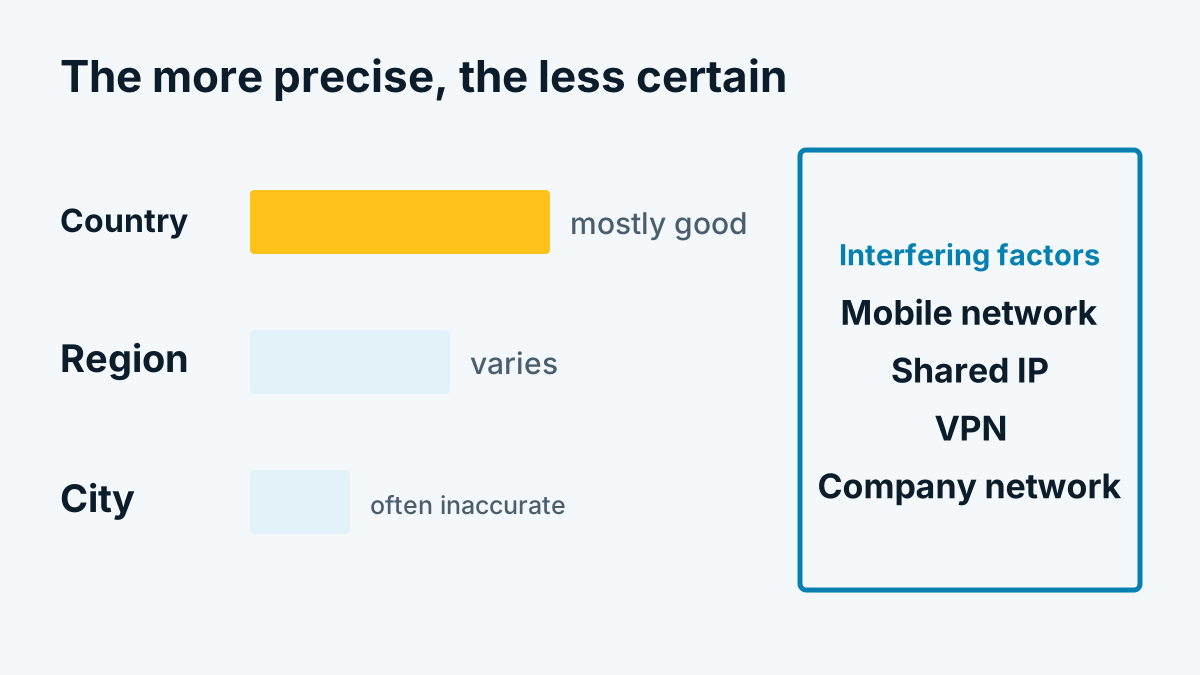
This has limits you should know. A small provider with the legal form GmbH can slip through if its name contains nothing revealing. A company with a name that sounds like a provider can be sorted out wrongly. A heuristic gets better when its lists are maintained. It never becomes error-free. Anyone who promises you 100 percent promises too much.
For provider networks there is a second attempt: the reverse lookup via the hostname. It is described in PTR record: how a hostname becomes a company.
Cache per network range
Network owners rarely change. It would therefore be wasteful to query the registry anew for every visit. The result is cached for the network range. In Whovisit a period of 30 days applies by default, after which a new query is made.
Two details are important here:
- The range is limited. If the network is a large allocation to a provider, only the small range around the address is remembered, a /24 block for IPv4 and a /48 block for IPv6. This is because customer networks with other owners can lie within it.
- Uncertain results are not remembered. Failed queries and networks without a legal form do not end up in the cache. That way nothing sticks that could be wrong or personal.
The cache contains network ranges and owners. These are public register data. It contains no visitor addresses.
Data protection in the process
The IP address is processed briefly in the process but not stored. This very distinction between processing and storing is important for the legal classification. Whether an IP address is personal data is covered in IP address and GDPR: is it personal data?. Which legal basis suits which use is explained in Visitor identification and GDPR: a sober assessment.
To be honest: with the registry query, the address goes to the network directory. That too is processing and should appear in your privacy policy and in your record of processing activities. An overview of all fields and periods is on the page that describes how we implement this.
What you take away from this
Company identification is a lookup in a registry with subsequent sorting, not reading out people. Quality is decided by the sorting and by the limits of the registry data. How this affects the hits is shown in Identification rate: why the figures vary so much. What the individual classes mean in the interface is explained in the help centre under Visitor classes: company, internet provider, data centre.
You will find an overview of all the ways to identify companies behind visits, even without a network query, in Which companies visit my website?.