Basics · 7 November 2026 · 5 minute read
Which companies visit my website? Three ways at a glance
Three ways to identify the companies behind website visits: form, login and assignment via the network. What you learn and what you do not.
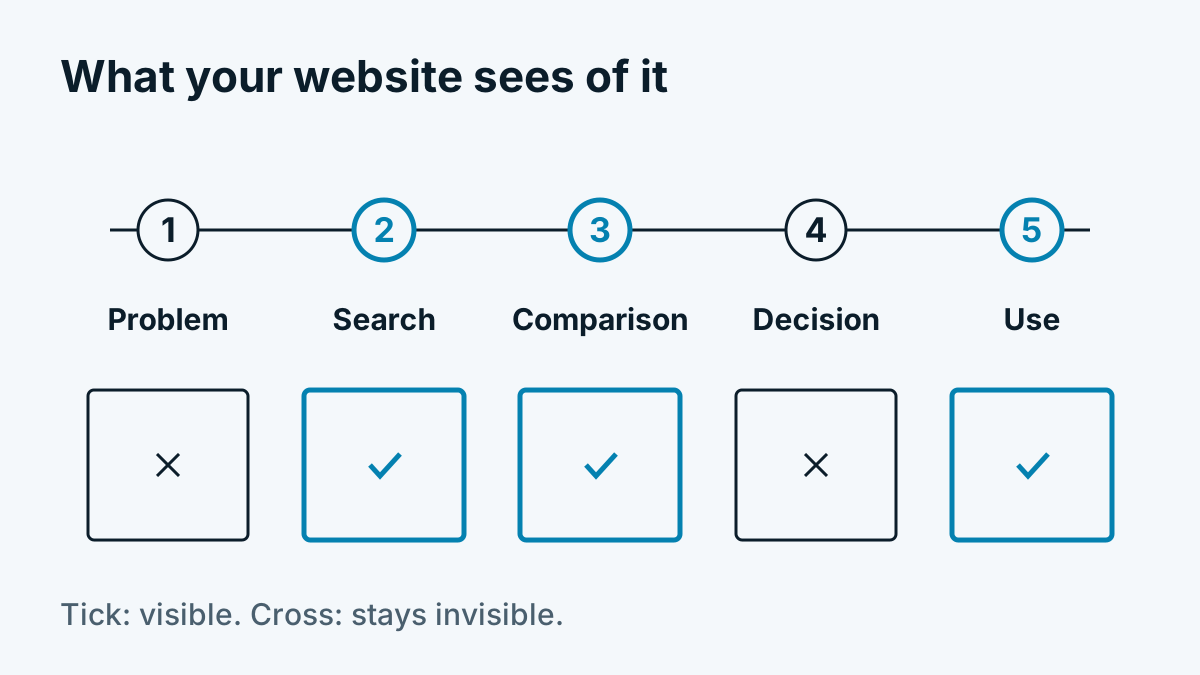
A web analytics tool tells you how many visits your website had, which pages were read and through which channel people came. It does not tell you which company is behind them. For B2B websites that is the decisive gap: a visit by 400 unknown people helps sales little. The visit of three companies from your target group does.
This article shows the ways in which you can learn something about the company behind a visit, what happens technically in the process and where the limits lie.
Three ways to identify companies
There are essentially three ways. They are not mutually exclusive but complement each other.
| Way | What you learn | Effort | Limit |
|---|---|---|---|
| Form or contact enquiry | Name, company, concern, often email address | Maintain the form, handle enquiries | Only the few who fill it in. Most leave beforehand. |
| Login or customer area | Account, company, functions used | Build and run a login | Only sensible for existing customers or trial users |
| Assignment via the network of the IP address | Name of the network holder, for companies often the company itself | Install a script, obtain consent | Only those who come from a company network. No individual. |
Form and login deliver the best data, but only from people who have already decided to show themselves. Assignment via the network, by contrast, reaches everyone who comes from a company network, even if they only read.
How assignment via the network works
Every visit comes from an IP address. IP addresses are allocated in blocks. Who holds a block is recorded in a public directory. For Europe, this directory is maintained by RIPE NCC. It says there, for example, that an address block belongs to a mechanical engineering GmbH or to a university.
That is the whole trick: the address becomes the network holder. For many companies with their own line, the network holder is the company itself. So a person is not being searched for; an entry in a directory is being read. The technical details are in How does company identification work? The technology in 6 steps.
An example from practice: Whovisit reads the network holder at the visit, then discards the IP address and stores something only if the holder looks like a company or institution.
What you learn and what you do not
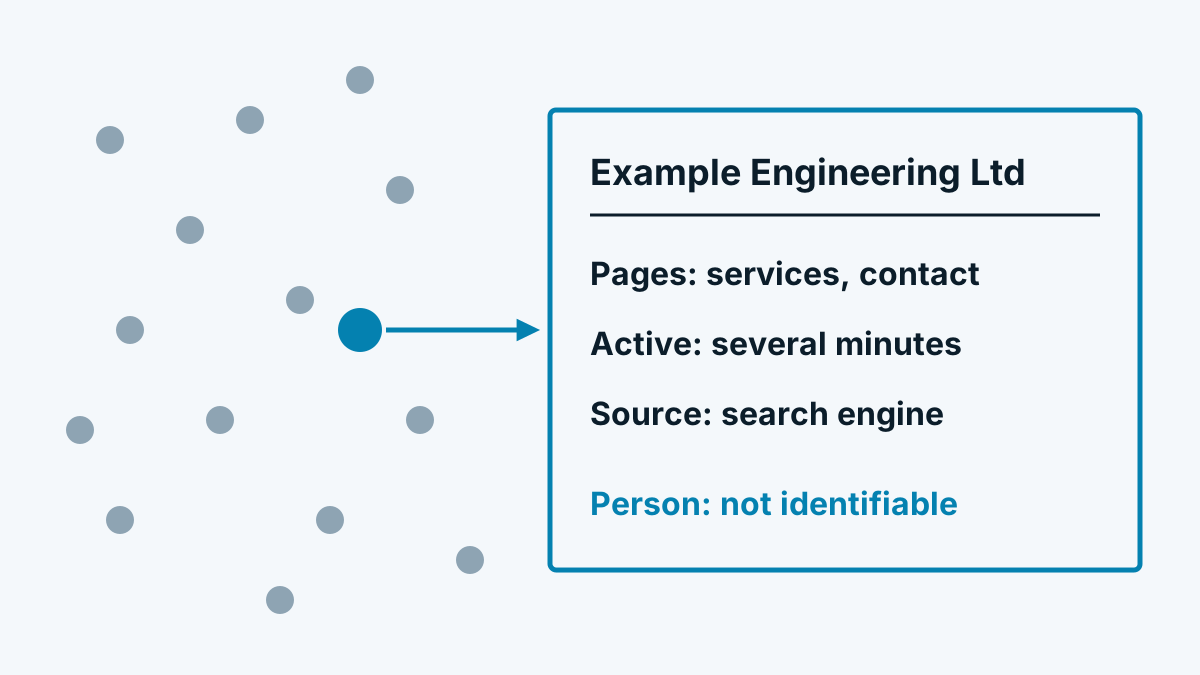
You learn which company or institution viewed your pages. Added to this are the things that belong to every visit:
- which pages in which order
- how long someone was active on the page
- which actions, such as clicks or starting a form
- where the visit came from, for example search engine, ad or link
You do not learn who the person was. Whether the managing director, the intern or an applicant read it remains open. Anyone who promises you identification of individuals is promising something that in the EU is legally delicate and cannot be achieved technically by this route. More on this in What visitor identification can and cannot do.
Whom you do not see
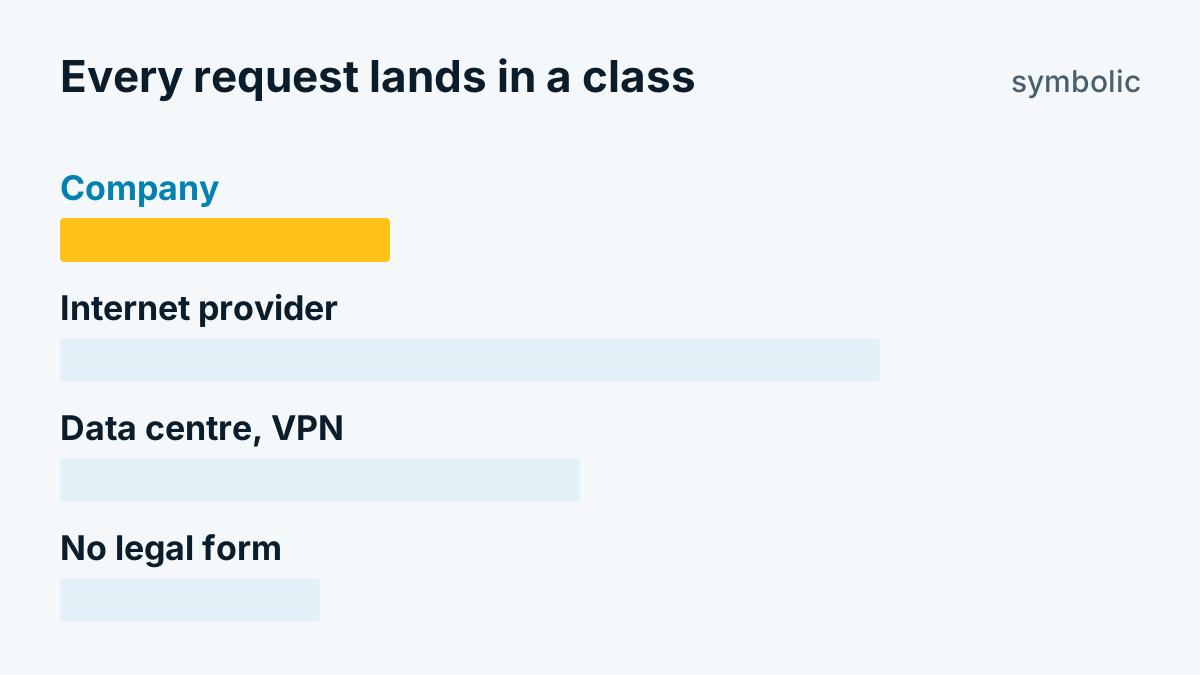
The method shows only visits from networks registered to a company. Not visible are:
- people in home offices, because they come via their internet provider's network
- visits by mobile
- visits via VPN services or relays
- sole traders who are registered privately and where it is unclear whether they are a company or a person
How much this matters depends on your target group. The article Home office, VPN and mobile: whom you do not see explains it in detail. Why you should not trust a blanket percentage is covered in Identification rate: why the figures vary so much.
The legal framework in two sentences
If a script runs on the visitor's device, then in Germany and Austria, as things stand today, consent is generally to be expected, because the end device is accessed. The data protection questions behind this are a subject of their own, which we sort out in Visitor identification and GDPR: a sober assessment. This is not legal advice; if in doubt, speak to your data protection officer or a lawyer.
First steps
- Clarify the goal. Do you want to prioritise leads, rate content or report to an agency client? The goal determines what you need to measure.
- Choose a tool by criteria. You will find a list of twelve check points in Comparing visitor identification: 12 criteria for choosing.
- Set up consent. The script should run only once the visitor has agreed to statistics. Without a cookie banner with a real choice, do not even start.
- Observe for two weeks. Look at which companies appear, whether they fit your target group and which pages they read. Only then is it worth attaching processes in sales to it.
If you use Whovisit, the quick start describes the first steps.
Frequently asked questions
Do I see every visitor?
No. You see only visits from company networks. Of these, only those where consent was given count.
Is it the same as Google Analytics?
No. Analytics counts and rates visits but names no companies. You will find the comparison in Identifying companies with Google Analytics: what works and what does not.