Practice · 7 November 2026 · 6 minute read
Spotting buying interest: which page views count
Spot buying interest on your website: which page views, clicks and returning visits count, and how to rate company visits with a points scheme.
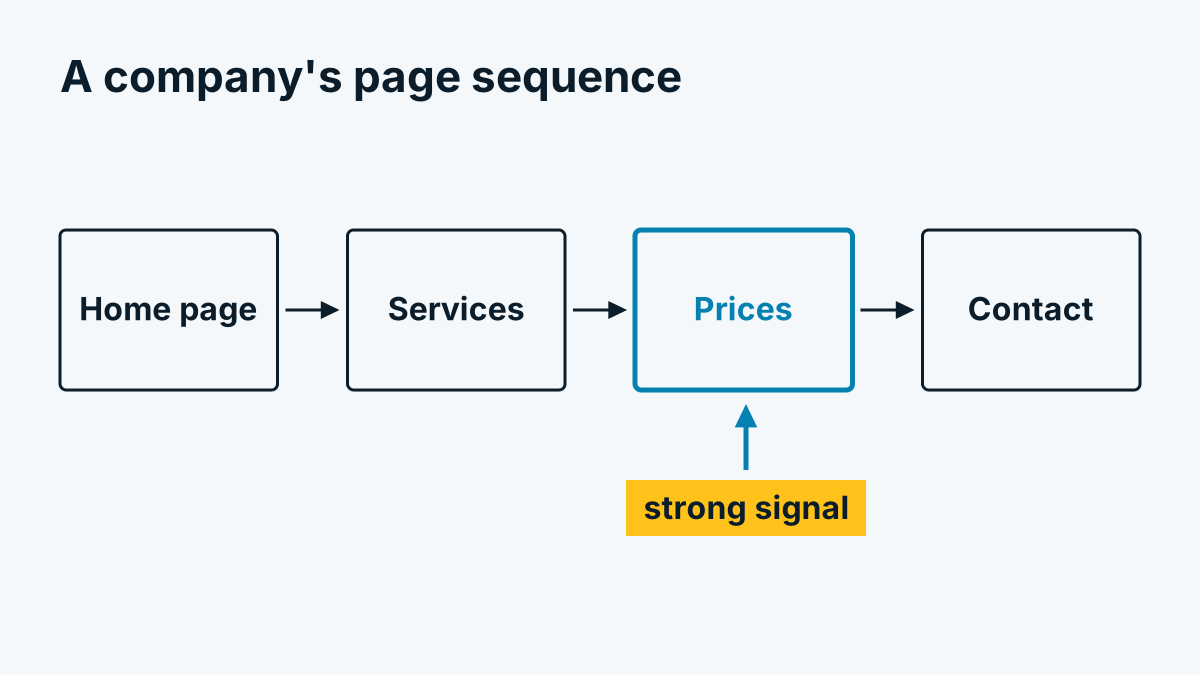
A company was on your website. At first that is merely a fact. Whether it implies interest in your offer depends on what the company did there. Anyone who treats every identified company like a prospect wastes time. Anyone who reads visits by their weight sees more quickly where a conversation is worthwhile.
This article shows which signals are meaningful, how to read them and where the pitfalls lie. Everything works at company level: you see what happened from within an organisation, not what a particular person did.
Strong and weak signals
Not all pages say the same amount. The following table is a rule of thumb, not a law of nature. Depending on your offer, the weighting shifts.
| Signal | Weight | Why |
|---|---|---|
| Viewed prices or plans | strong | Anyone checking prices is usually already comparing |
| Contact page viewed, phone or email link clicked | strong | The step to an enquiry is close |
| Form submitted | strong | This is an enquiry you can answer directly |
| Download (price list, data sheet, catalogue) | strong | Anyone who downloads documents wants to pass them on internally |
| References or case studies | medium to strong | Often read as reassurance before a decision |
| Service or product pages | medium | Shows interest in the topic, not in buying |
| Return on another day | medium to strong | Anyone who comes back is occupied with it |
| Blog articles | weak to medium | Often research, sometimes chance |
| Home page alone | weak | Usually a brief glance |
| Careers, legal notice, privacy | weak | Applicants, auditors, the curious |
What matters is the combination. A company that views services, references and prices and comes back the next day tells a different story from a company with a single glance at a blog article.
Active time instead of time on page
Time on page sounds like a good measure but is deceptive. A browser tab left open over lunch counts as two hours on page, although nobody is looking.
Better is active time: the time in which the tab is visible and the window is in the foreground. Active time keeps counting only if both are true. A forgotten tab thus produces no phantom time. This helps with questions like: did someone skim the pricing page in ten seconds or read it for four minutes?
Reading scroll depth correctly
Scroll depth shows how far down a page someone got, as a percentage. It is useful but easy to overrate:
- A high value does not automatically mean reading. Anyone who rushes down quickly reaches 100 percent quickly.
- Short pages distort. On a short page, 100 percent is reached quickly.
- Long pages with the pricing block far down say something when scroll depth is high and the active time fits.
Always read scroll depth and active time together. High depth with very short time is skimming; low depth with long time is often a conversation in the background.
Clicks with meaning
Some actions are more telling than any time on page. Whovisit records these clicks:
- Email link (a click on a
mailto:address) - Phone link (a click on a
tel:number) - Download of files such as PDF, ZIP, Word, Excel, PowerPoint, CSV, DWG or DXF
- Outbound click to another domain
- Form submitted, with the form's identifier but without the content entered
A submitted form reaches you directly anyway. What is valuable is the click on an email or phone link: it shows that someone considered making contact, even if no message arrived. The outbound click, by contrast, is ambiguous: it may lead to a competitor or to a social media profile.
A simple points scheme
Anyone with many companies in the report needs an order. The following scheme is expressly an example to build yourself. The numbers are invented and do not come from a measurement. Adapt them to your offer.
| Event of a company in 14 days | Example points |
|---|---|
| Pricing page viewed | 3 |
| Contact page viewed | 2 |
| Download of a price list or data sheet | 3 |
| Click on phone or email link | 3 |
| References or case studies viewed | 2 |
| Second visit on another day | 2 |
| Service page viewed | 1 |
| Blog article read | 1 |
Then you decide at how many points you take a closer look at a company, for example from 6. Important here:
- This is a sorting aid for your attention, not a probability and not a verdict on the company.
- After a few weeks, check whether the highly rated companies actually came into conversation more often. If not, change the weights.
- Do not count identical events without limit. Ten blog articles are not worth ten times as much as one.
Such a scheme rests on fixed rules that you define yourself. It is not an automatic rating by artificial intelligence.
Pitfalls
Before you call or write to a company, check who was really there:
- Your own staff. Colleagues look at the pricing page, bosses check the presentation. If your own office network shows up, that is not the market.
- Applicants. Someone from a company may view the careers page. That is curiosity about you as an employer, not a buying signal.
- Suppliers and service providers. They also read your site, often out of self-interest.
- Competitors. Anyone watching the competition looks closely at prices and services.
- Bots and tools. Data centre networks are counted separately and not stored as a company. Even so, companies' checking tools can show up.
- Many people behind one network. A company address can bundle hundreds of people. Any department can be behind a visit.
Added to this is the limit of the method itself: anyone accessing from home or on mobile is invisible in this analysis. Why that is so and how much the figures fluctuate is explained in Identification rate: why the figures vary so much.
What you do with the list
A ranked list is only the beginning. How to turn a company with a high score into a conversation without crossing any lines is covered in From the identified company to a conversation. How visits, actions and page sequences can be read in the report and processed further as a file is shown in the help section under Reading the report and exporting it as CSV. And if you want to know where the job of web analytics ends and that of visitor identification begins: Identifying companies with Google Analytics: what works and what does not.
Where the companies in the list come from in the first place is explained in Which companies visit my website?.