Practice · 7 November 2026 · 4 minute read
Website heatmaps: types, informative value and data protection
Click, scroll and movement heatmaps explained: what they show, how many visits you need, typical wrong conclusions and what data protection requires.
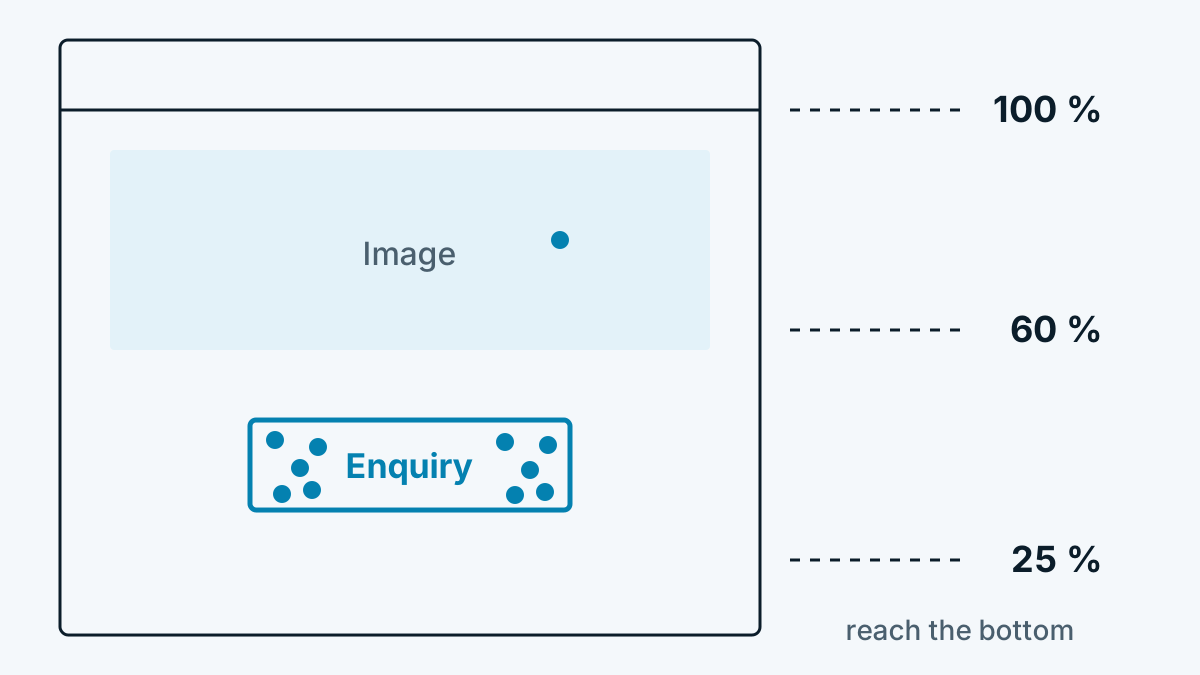
A heatmap colours a web page according to where visitors click, how far they scroll or where the mouse moves. Red means a lot, blue means little. That is illustrative and convincing in any meeting. So that the pictures do not lead to wrong decisions, it is worth knowing what they show and what they do not.
The four common types
| Type | Shows | Good for |
|---|---|---|
| Click heatmap | Where clicks or taps happen | Buttons that are overlooked, clicks on things that are not links |
| Scroll heatmap | What percentage of visitors reach which depth | Long pages, placement of important content |
| Movement heatmap | Where the mouse moves | Rough indication of attention on a computer |
| Attention heatmap | How long an area was visible | Which sections are read |
Closely related are session recordings, also called session replay or mouse videos. They show individual visits as a film instead of a sum of all visits. What has to be considered under data protection law is covered in Session replay and data protection: using mouse recordings properly.
How many visits you need
A heatmap is a statistic. With 30 visits it shows chance. As a rough rule, you need a few hundred visits per page and device type before patterns become reliable. For B2B pages with little traffic this means: rather measure one important page over several weeks than ten pages over a few days.
Five typical wrong conclusions
- Phone and computer mixed. On the phone, elements are in different places. A combined heatmap then shows clicks at spots where half the visitors have nothing at all. Always analyse devices separately.
- Moving content. Expandable areas, banners and sliders shift the page. The colour then lands in the wrong place.
- Mouse equals eye. The mouse follows the gaze only roughly. Many people simply leave it lying while they read.
- Little scroll depth equals a bad page. Anyone who finds what they are looking for at the top does not need to scroll. Little scroll depth on a contact page is a good sign.
- All visitors equally important. In B2B, not every visit counts the same. A hundred students hide, in the sum, the three buyers who are what it is really about.
What you do with it
Heatmaps provide hints, not answers. A good sequence:
- Set the question. For example: do visitors see the enquiry button?
- Choose page and period, large enough for reliable figures.
- Note what stands out, for example: 60 percent of visitors on a computer never reach the button.
- Test a change, for example place the button higher.
- Measure the result against a hard figure, such as enquiries per week, not against a new heatmap.
Data protection
Heatmap tools load a script that captures clicks, mouse movements and scrolling in the browser. This accesses the visitor's device. In Germany, § 25 TDDDG generally requires consent for this, in Austria § 165 TKG 2021. The script should therefore load only after consent in the cookie banner.
Also pay attention to these points:
- Mask inputs. What visitors type into form fields does not belong in a heatmap.
- Short retention. A few weeks are usually enough for an analysis.
- Server location and contract. You conclude a data processing agreement with the provider.
The basics on consent and legal basis are in Consent or legitimate interest: how to decide.
Frequently asked questions
Do I need a heatmap if I already have web analytics? Web analytics shows which pages are viewed. The heatmap shows what happens on a page. The two complement each other.
Do heatmaps make sense in B2B? Yes, for a few important pages such as the home page, pricing and contact. For the question of which companies have read, you need a different tool, see Which companies visit my website? 3 ways at a glance.
Are there heatmaps without a cookie? There are tools that work without a cookie. Consent may still be needed, because the script reads data from the browser.