Technology · 7 November 2026 · 5 minute read
Checking reverse DNS: querying and setting up a PTR record
How to check the reverse DNS record of an IP address with dig, host and nslookup, have it set by your provider and meet mail server requirements.
Anyone who runs a mail server sooner or later runs into the error message „no reverse DNS“ or „PTR missing“. This refers to the reverse DNS record of your server's address. This article shows how to query it, what it has to do for mail servers and how to have it set up. How to infer a company from a host name, on the other hand, is covered in PTR record: how a host name turns into a company.
What reverse DNS is
Normal DNS translates a name into an address. Reverse DNS does the opposite: for an IP address it returns a name. The PTR record exists for this. The query runs through a special domain. For IPv4 this is in-addr.arpa, for IPv6 ip6.arpa. The address is reversed in the process. 192.0.2.10 becomes 10.2.0.192.in-addr.arpa. For IPv6, the individual hexadecimal digits are reversed, as RFC 3596 describes.
Querying the PTR record
In the example, all commands query 193.0.6.139, the address of RIPE NCC. Replace it with your own.
| Tool | Command | Good to know |
|---|---|---|
| dig (macOS, Linux) | dig -x 193.0.6.139 +short | Reverses the address itself. Without +short you also see the status. |
| host (macOS, Linux) | host 193.0.6.139 | Shortest output: „domain name pointer …“ |
| nslookup (all systems) | nslookup 193.0.6.139 | Also available on Windows. |
If no answer comes back, there is no record (status NXDOMAIN) or the responsible name server is not answering (SERVFAIL, timeout). For IPv6 the same notation works, for example dig -x 2001:db8::25 +short with an address from the documentation range. Anyone without a console uses an online query from DNS tool sites. Freshly changed records often take a while to arrive everywhere because of caching (TTL).
Why mail servers need it
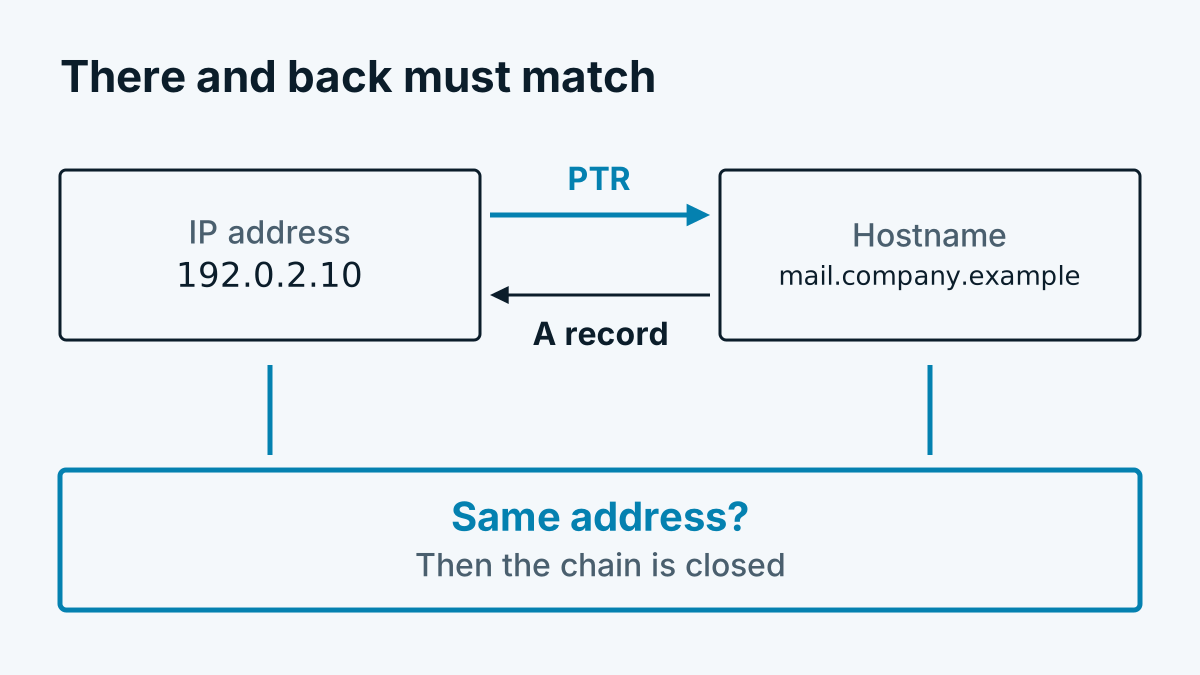
Receiving mail servers like to check whether the sender is set up properly. Part of this check is reverse DNS. The basic idea is called forward-confirmed reverse DNS in technical language:
- For the sender's address, the PTR record is queried. Result: a host name.
- For this host name, the A record (AAAA for IPv6) is queried.
- If the address matches the original one, the chain is closed.
Google expressly requires valid forward and reverse records for senders. The guidelines for senders say that the sender's address must match the address of the host name given in the PTR record. RFC 1912 also recommends, in section 2.1, that PTR and A records match and that the PTR record does not point to a CNAME. Whether another recipient checks strictly is stated in its own documentation. Expect a missing or mismatched record to lead to rejected mail or mail ending up in the spam folder.
Having it set up
You do not set the PTR record in your own domain management. It sits in the zone that belongs to the address block. That zone is managed by whoever the block is allocated to. As a rule this is your provider or hoster.
- Choose the host name under which your mail server is to appear, for example
mail.beispiel-firma.example. - Create the A record in your own DNS zone:
mail.beispiel-firma.examplepoints to192.0.2.10. - In the provider's customer portal, enter the reverse DNS record for
192.0.2.10. With many hosters this is a field on the IP address. Otherwise a request to support with the address and the desired name is enough. - Check with
dig -xand then withdig mail.beispiel-firma.example +shortthat both directions match. - Make sure the name also matches the greeting (HELO/EHLO) of your mail server.
If you have your own address block, the registry delegates the zone to your name servers. For blocks smaller than a /24, RFC 2317 describes the procedure. In that case ask your provider first.
Two stumbling blocks are common. If the server has several addresses, each needs its own record. And with dynamic addresses, as private connections have, you generally do not get a freely chosen name. Anyone sending mail from there is better off using a relay service.
When the check fails
| Observation | Possible cause |
|---|---|
| No record | Provider has set nothing, record missing for this address |
| Record points to a generic name of the provider | Own name was never requested |
| Name does not resolve to the same address | A record missing or pointing to an old address |
| Only IPv4 works | Record missing for IPv6, Google points this out in its documentation |
| Change not visible | Cache, wait or query the provider's name server directly |
Reverse DNS does not replace mail authentication. SPF, DKIM and DMARC are topics of their own. But without a matching PTR record, a mail server quickly stays under the recipients' radar.
What reverse DNS does not prove
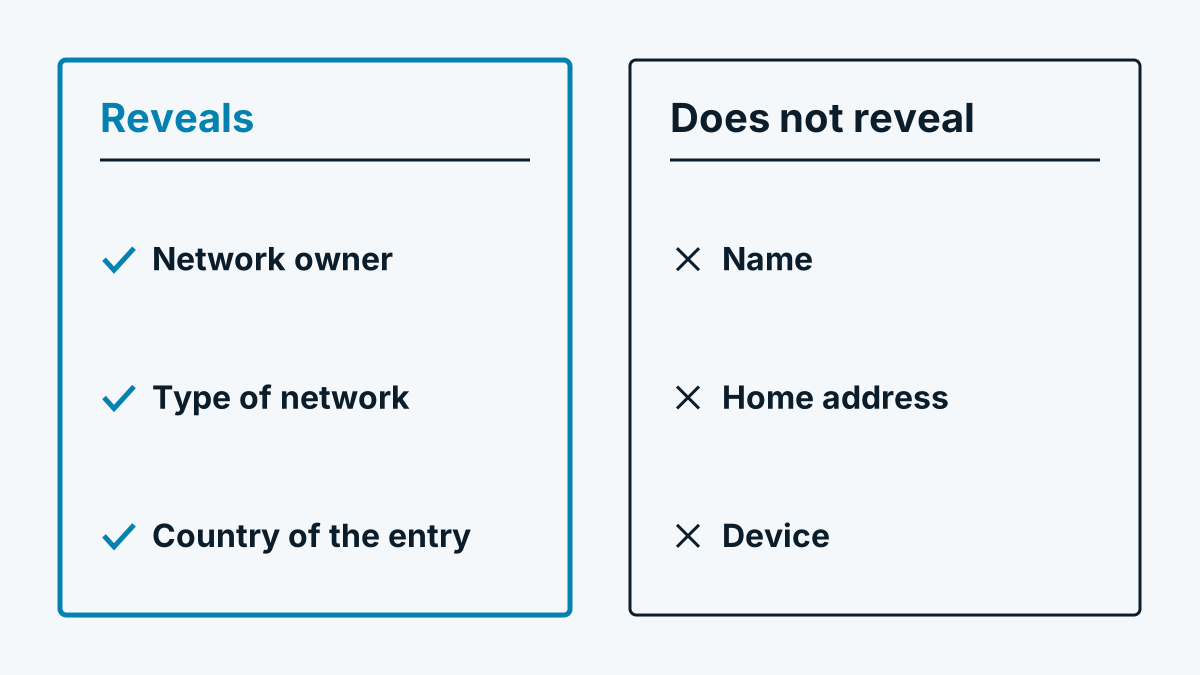
The record is voluntary and maintained by the network operator. It does not say who uses an address. It is therefore suitable as a hint, not as proof, when you want to know who owns an IP address. The network registry is the more reliable source for that. How the two routes work together is explained in Reverse IP lookup explained simply.
Frequently asked questions
Must every IP address have a PTR record? No, it is voluntary. For servers that send mail, however, it is mandatory in practice, because recipients check it.
Can I change the PTR record myself? Only if you manage the reverse zone of the address. For addresses from your provider or hoster, they set the record, usually via the customer portal or on request.
What is the difference between reverse DNS and Whois? Reverse DNS returns a host name and is set by the network operator. Whois or RDAP names the holder of the address range. They are different databases with different purposes.