Practice · 7 November 2026 · 5 minute read
B2B website check: 15 points that cost you enquiries
A B2B website check in 15 points: contact routes, load time, mobile, references, legal notice, form, search. With free ways to test each point.
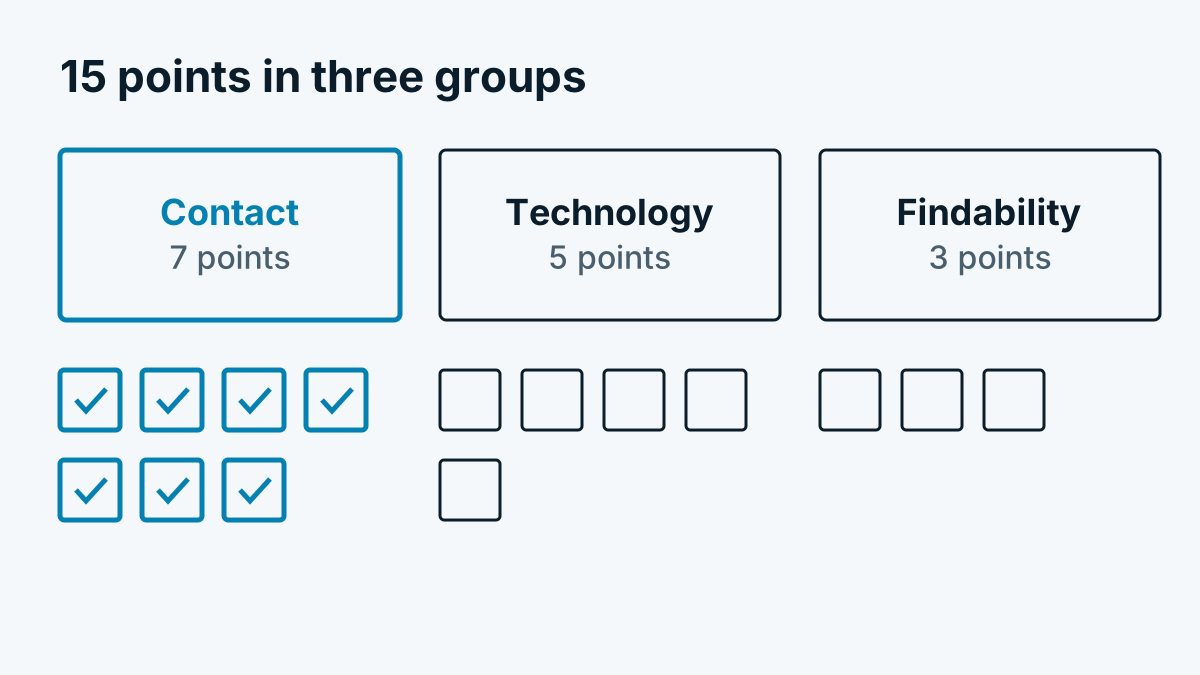
Many B2B websites are not missing big things. It is small details that make prospects leave: a phone number that cannot be tapped, a page that takes three seconds too long to load on a phone, a form with twelve mandatory fields. This list takes you through 15 points. You can check each one yourself, at no cost and without an agency. Set aside an hour and go through the website once the way an outside buyer would.
Contact and trust
- Contact route without searching. Can a visitor get in touch with one click on every page? How to check: Open three random subpages and look for the contact details without scrolling.
- Phone and email tappable. On a phone, the number should start a call directly (link with
tel:) and the address should open a mail program (mailto:). How to check: Tap on them on your smartphone. - A clear message in five seconds. Who are you, what do you offer, for whom? How to check: Show the home page to an uninvolved person for five seconds and then ask what the company does.
- Prices or a price range. Many buyers want to know up front whether they are within budget. At least a „from“ price, a typical range or a statement of what the price depends on helps. How to check: Search your site for any statement on costs.
- References. Names, industries or short project descriptions have more impact than logos alone. How to check: Can at least one specific example be found on the home page or the services page?
- Faces and names. In B2B, people buy from people. How to check: Is there a page with contact persons and their roles?
- Legal notice and privacy policy. Both must be reachable from every page. In Germany the provider identification is regulated by § 5 DDG, in Austria and Switzerland separate rules apply. How to check: Are the links in the footer of every page, and are the details complete and up to date?
Technology and usability
- Load time. Enter your address in PageSpeed Insights. The tool shows measurements from real visitors (where available) and lab values. Among other things, Google gives as good values a largest visible content within 2.5 seconds at most and a layout shift of at most 0.1 (web.dev: Core Web Vitals). Check the pages on which enquiries are meant to arise.
- Mobile view. A large share of B2B visits comes from phones, even if the decision is made later on a computer. How to check: Open the page on a real phone. Is the text readable, are buttons large enough, does no banner cover the content?
- Form. How many mandatory fields are there, does a confirmation arrive, does it work on a phone? How to check: Send a test enquiry yourself and measure how long the reply takes. More on this in Contact form in B2B: fields, data protection, spam.
- Thank-you page. After submitting, a separate page or a clear message should appear. This helps visitors and makes the enquiry countable in the statistics later. How to check: Do you land on a separate address after submitting?
- Broken links and pages. How to check: Click through the main menu items and the most important buttons. An error page in the menu costs trust.
Findability and measurement
- Is the page found? Set up Google Search Console. There you see which pages are in the index, for which search queries you appear and which pages Google does not include. A quick first test is a search for
site:your-domain.com. - Page title and description. Every important page needs its own title that says what it is about. How to check: Search for your company and one service. Do your results look understandable or cut off?
- Structured data. With markup for organisation or contact details you help search engines understand information (Google: Introduction to structured data). There are no guaranteed effects, but the effort is small. How to check: The Rich Results Test shows whether markup is recognised.
What to do with the result
Sort by effort and impact. The contact route, the tappable number and a lean form are usually done in one afternoon. Load time and mobile view often need help from a developer. Do not change everything at once, so that you can see what had an effect.
Afterwards, compare the number of enquiries per week before and after the changes. How to go further and see which pages prospects read is shown in Analysing website visitors in B2B: which figures really count. For an assessment of where the website wins enquiries overall, see B2B lead generation via your website: 9 ways.
Frequently asked questions
Is there a free website check that tests everything at once? There are many online tools. They mostly measure technology and search engine basics. Whether your statements are understandable and your references convincing is something only a person can see. Therefore combine tools with the five-second test.
How often should I check the website? Twice a year is usually enough, and also after every major rebuild. Load time and Search Console are worth a look each quarter.
What does the check achieve with few visitors? With little traffic, every visit counts. An obstacle in the contact route then costs a larger share of enquiries than on a heavily visited site.